
Key Takeaways:
- Social login can increase sign-up conversion rates by 20-60% by eliminating form friction—the average person manages 170 passwords, and 81% of users abandon forms after starting them.
- Each platform serves distinct strategic purposes: Google offers ubiquity and verified emails, Apple provides privacy-first authentication (mandatory for iOS apps with social login), and LinkedIn delivers professional identity verification ideal for B2B applications.
- Implementation best practices include offering multiple social login options, maintaining traditional email registration as a fallback, ensuring OAuth 2.0 compliance, and designing mobile-first authentication flows that reduce friction without compromising security.
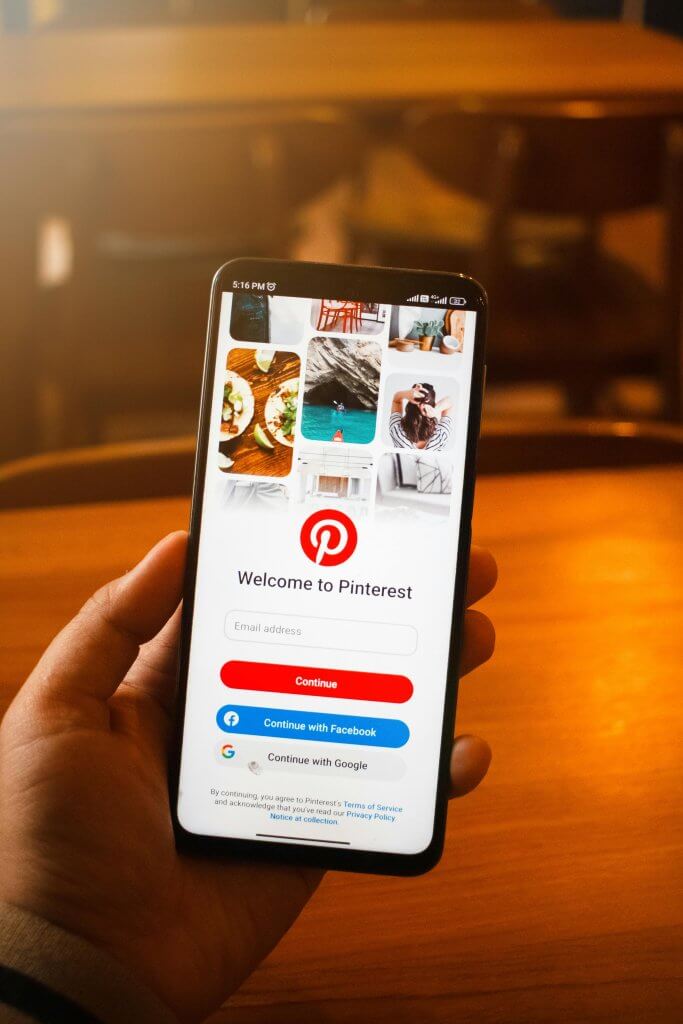
The Hidden Conversion Killer in Your Mobile App
Your mobile app might be losing half its potential users before they ever experience your product. The culprit isn’t your value proposition, your marketing, or even your competition—it’s your sign-up form.
The data tells a sobering story: 81% of users abandon forms after starting them, and a staggering 67% will never return after encountering complications. In the mobile environment, where screens are smaller and patience is shorter, these numbers become even more pronounced. Mobile form completion rates hover around 35.33%, compared to 50.8% on desktop—a 15-percentage-point gap that represents millions of dollars in lost revenue for businesses worldwide. Research from Baymard Institute consistently demonstrates how checkout and form complexity directly impacts conversion rates.
Consider the traditional sign-up process from your user’s perspective: they discover your app, feel motivated enough to download it, open it with genuine interest, and then encounter a registration wall demanding their email, a new password (with specific complexity requirements, of course), possibly their phone number, and perhaps additional profile information. Each field represents a decision point—and each decision point is an opportunity for abandonment.
The password field alone carries a 10.5% abandonment rate—the highest of any form element. This isn’t surprising when you consider that the average person now manages approximately 170 passwords, with 94% of those being reused or duplicated across services, according to NordPass research. Users aren’t lazy; they’re cognitively overwhelmed.
This is where social login transforms the equation. By allowing users to authenticate with credentials they already have—Google, Apple, or LinkedIn—you’re not just removing form fields. You’re eliminating an entire category of friction that stands between user intent and user action. Companies implementing social login consistently report conversion improvements ranging from 20% to 60%, with some achieving gains as high as 130%.
In this comprehensive guide, we’ll explore how social login works, why it’s become essential for mobile app development, and how to implement it strategically across Google, Apple, and LinkedIn platforms. Whether you’re building a consumer app, an enterprise solution, or a B2B platform, understanding social login isn’t optional—it’s a competitive necessity.
The Psychology of Password Fatigue and Form Abandonment
To understand why social login works so effectively, we need to examine the psychological burden that traditional authentication places on users. The concept of “password fatigue” isn’t merely inconvenience—it’s a measurable cognitive phenomenon with direct business consequences.
The Cognitive Cost of Password Management
Human memory wasn’t designed for the digital age. Our brains evolved to remember faces, locations, and narratives—not arbitrary strings of characters with mixed cases, numbers, and special symbols. When we ask users to create yet another password, we’re asking them to perform a task that runs counter to their cognitive architecture.
Research consistently shows that users respond to password overload in predictable (and problematic) ways. The 94% password reuse rate isn’t a security failing on the part of users—it’s a rational response to an irrational demand. When faced with creating password number 171, most users will default to something familiar, perhaps with minor variations they hope to remember.
This creates a paradox for app developers: the more secure you try to make your authentication (complex password requirements, regular password changes, unique credentials), the more friction you introduce—and the more likely users are to either abandon the process or adopt insecure workarounds.
Mobile-Specific Friction Factors
The mobile environment amplifies every friction point in the authentication process. Typing on a small screen is inherently slower and more error-prone than on a physical keyboard. Password complexity requirements that seem reasonable on desktop become genuinely frustrating on mobile, where switching between letter, number, and symbol keyboards interrupts the user’s flow.
Consider the mathematics: a typical “strong” password might require 12 characters including uppercase, lowercase, numbers, and symbols. On a mobile keyboard, entering this password might require 20-30 taps including keyboard switches, with each tap representing an opportunity for error. Masked password fields mean users can’t see their mistakes until submission fails, leading to frustration and abandonment.
The context of mobile usage matters too. Users often engage with apps during brief windows of attention—waiting in line, during commutes, or between tasks. A sign-up process that takes 30 seconds on desktop might take 90 seconds on mobile, and in that extended timeframe, countless distractions compete for the user’s attention.
The Compounding Effect on Retention
Authentication friction doesn’t just affect initial sign-up—it compounds over time. Mobile app retention statistics are notoriously challenging: the average app loses 77% of its users within three days of installation, and only 5.6% remain active after 30 days. While many factors contribute to this attrition, authentication friction plays a significant role.
Users who struggle to sign up are less invested in your app from the start. Users who forget their passwords face the frustrating password reset process—another opportunity for abandonment. Users who created a weak, easily-forgotten password may not be able to recover their accounts at all, leading to permanent churn.
Social login addresses these issues at their root. By leveraging authentication systems users already trust and remember, you’re not just improving sign-up conversion—you’re creating the foundation for better long-term engagement. This is a core consideration in effective UI/UX design.
How Social Login Transforms Conversion Rates
The business case for social login rests on solid empirical ground. Across industries and app categories, organizations implementing social authentication report substantial improvements in key conversion metrics.
The Numbers Behind the Transformation
Studies consistently show that social login can improve sign-up conversion rates by 20-60%, with some implementations achieving even more dramatic results. These aren’t marginal gains—they represent fundamental shifts in user acquisition efficiency.
The mechanism is straightforward: social login reduces a multi-step process (enter email, create password, confirm password, possibly verify email) to a single action (tap button, confirm permissions). This reduction in steps corresponds directly to reduced abandonment at each stage.
Beyond raw conversion numbers, social login improves the quality of user data. Email addresses obtained through social login are pre-verified by the identity provider, eliminating the friction of email confirmation steps and ensuring you’re collecting valid contact information. This has downstream benefits for user engagement, marketing effectiveness, and account security.
Understanding the User’s Decision Calculus
When a user encounters a social login option, their mental calculation shifts from “Is this app worth the effort of creating another account?” to “Do I trust this app enough to let it access some of my existing profile information?” This is a fundamentally different question, and for most users, it’s an easier one to answer affirmatively.
The perceived effort of social login is minimal—users know their Google or Apple credentials by heart, and the authentication process often happens with a single tap thanks to stored sessions. The perceived risk is bounded by the specific permissions requested, which users can evaluate before proceeding.
This shift in decision calculus explains why social login conversion improvements are often highest among users in the “interested but not committed” category—exactly the users traditional sign-up forms lose most frequently.
Platform Deep Dive: Choosing the Right Social Login Options
Not all social login providers are created equal. Each platform offers distinct advantages, serves different user demographics, and carries its own implementation requirements. Strategic selection of social login options should align with your target audience, app development strategy, and business objectives.
Google Sign-In: The Ubiquitous Choice
Google Sign-In remains the most versatile social login option for most applications. With over 2 billion active users across Gmail, YouTube, Android, and other services, Google credentials are nearly universal in many markets. The Google Identity Services documentation provides comprehensive implementation guidance.
Strategic Advantages of Google Sign-In:
- Cross-Platform Consistency: Google Sign-In works identically across Android, iOS, and web platforms, providing a unified authentication experience regardless of how users access your app.
- Native Android Integration: On Android devices, Google Sign-In benefits from deep OS integration. Users who are signed into their device can authenticate with your app in a single tap, without entering any credentials.
- Verified Email Addresses: Google accounts come with verified email addresses, eliminating the need for email confirmation steps in your onboarding flow.
- Rich Profile Data: With appropriate permissions, Google Sign-In can provide profile photos, names, and other information that enhances user profiles without additional form fields.
- Developer-Friendly Implementation: Google provides comprehensive SDKs and documentation, making implementation relatively straightforward for experienced development teams.
Considerations and Limitations:
While Google Sign-In offers broad appeal, it’s not without considerations. Some users—particularly those concerned about Google’s data practices—may prefer alternative authentication methods. Privacy-conscious users in certain markets may have negative associations with Google’s data collection, potentially making Google Sign-In counterproductive for certain app categories.
From an implementation perspective, Google’s OAuth consent screen requirements have become more stringent, particularly for apps requesting sensitive scopes. Apps seeking access to certain Google APIs may need to undergo verification processes that can extend development timelines.
Apple Sign In: Privacy-First Authentication
Apple’s entry into the social login space with Sign in with Apple represented a significant shift in authentication philosophy. Unlike other providers, Apple designed its system with privacy as the primary value proposition.
Strategic Advantages of Apple Sign In:
- Mandatory for iOS Apps: Apple requires Sign in with Apple to be offered whenever other third-party social login options are available in iOS apps. This isn’t optional—it’s a submission requirement that makes Apple Sign In essential for any iOS app with social authentication.
- Hide My Email Feature: Users can choose to share their actual email address or use Apple’s relay service, which generates a unique, random email address that forwards to their real inbox. This gives users control over their data while still allowing you to communicate with them.
- Premium User Demographics: Apple users tend to have higher household incomes and greater willingness to pay for apps and in-app purchases. Sign in with Apple can serve as an implicit signal of user quality for certain business models, particularly relevant for iPhone app development projects.
- Built-In Two-Factor Authentication: Every Apple ID is protected by two-factor authentication, meaning users authenticating through Apple Sign In bring strong security by default.
- Face ID and Touch ID Integration: On supported devices, Sign in with Apple can leverage biometric authentication, creating a seamless, secure experience that feels effortless to users.
Considerations and Limitations:
The privacy features that make Apple Sign In attractive to users can create challenges for developers. The Hide My Email feature means you can’t always identify returning users across platforms by email address. Apple provides a stable user identifier, but managing accounts across Apple and non-Apple platforms requires careful architecture.
Additionally, Apple Sign In is limited to Apple devices and the web. For apps targeting Android-only or Android-first markets, Apple Sign In offers limited utility as a primary authentication method.
LinkedIn Sign In: Professional Identity Verification
LinkedIn occupies a unique position in the social login landscape. While smaller in absolute user numbers than Google or Apple, LinkedIn Sign In offers something neither can match: professional identity verification.
Strategic Advantages of LinkedIn Sign In:
- B2B Application Alignment: For enterprise apps, SaaS platforms, and B2B services, LinkedIn Sign In signals professional intent. Users authenticating with LinkedIn are implicitly confirming their professional identity and context.
- Rich Professional Data: With appropriate permissions, LinkedIn Sign In can provide access to professional information including job titles, company names, industry, and professional network connections—data that’s invaluable for B2B personalization.
- Lead Quality Signal: In lead generation contexts, users who sign in with LinkedIn are often more qualified prospects than those using consumer-oriented authentication methods.
- Professional Network Integration: For apps with networking or collaboration features, LinkedIn Sign In can facilitate discovery of existing professional connections among your users.
Considerations and Limitations:
LinkedIn Sign In makes most sense for applications with a clear professional use case. Offering LinkedIn authentication for a consumer entertainment app might confuse users about your product’s purpose.
LinkedIn’s API access has become more restricted over time, with certain data points requiring partnership agreements or specific API programs. Development teams should carefully review LinkedIn’s current API documentation and access levels before building features dependent on specific data access. A strong mobile app development partner can help navigate these requirements efficiently.
Security and Privacy Considerations
One of the most compelling arguments for social login isn’t convenience—it’s security. Counterintuitively, delegating authentication to major identity providers can significantly strengthen your app’s security posture.
The Security Advantages of Delegated Authentication
When you implement social login, you’re leveraging security infrastructure that costs billions of dollars annually to maintain. Google, Apple, and Microsoft employ some of the world’s best security engineers and invest continuously in threat detection, abuse prevention, and authentication hardening. Your app benefits from this investment without bearing the cost. Major identity providers use the OAuth 2.0 protocol, an industry-standard framework that has been battle-tested across billions of authentication events.
Key security benefits include:
- No Password Storage: With social login, you never store user passwords. This eliminates entire categories of security risk—you can’t lose what you don’t have. Even a complete database breach wouldn’t expose user credentials.
- Advanced Threat Detection: Identity providers continuously monitor for suspicious login patterns, compromised credentials, and emerging threats. When a user signs in through Google, for example, Google’s security systems are evaluating that authentication attempt against vast datasets of known attack patterns.
- Multi-Factor Authentication: Users who have enabled MFA on their Google, Apple, or LinkedIn accounts bring that protection to your app automatically. Research indicates that MFA can prevent up to 96% of bulk phishing attempts and significantly reduce account compromise rates.
- Account Recovery: When users lose access to their accounts, the recovery process is handled by the identity provider’s established systems, reducing support burden and security risks associated with custom recovery flows.
Privacy and Compliance Considerations
Social login intersects with privacy regulations including GDPR, CCPA, and emerging privacy frameworks worldwide. Understanding these intersections is essential for compliant implementation. Proper authentication design is a critical component of comprehensive app development, particularly for healthcare apps and fintech applications where regulatory compliance is paramount.
Data Minimization: Social login supports the privacy principle of data minimization by allowing you to request only the data you need. Rather than collecting extensive profile information “just in case,” you can scope your authentication requests to essential data points.
Consent and Transparency: OAuth flows include explicit consent screens where users see exactly what data they’re sharing before authentication completes. This built-in transparency supports compliance with consent requirements under various privacy regulations.
User Control: Users can revoke your app’s access through their identity provider’s settings at any time, supporting their rights to control their personal data.
Implementation Best Practices
Successful social login implementation goes beyond technical integration. The following best practices will help maximize conversion while maintaining security and user trust.
Design and User Experience
- Offer Multiple Options: Don’t force users into a single authentication method. Provide at least 2-3 social login options plus traditional email registration. Different users have different preferences and trust levels with various providers.
- Prioritize Visual Hierarchy: Place social login buttons prominently, ideally above the fold and before traditional form fields. Many users won’t scroll if they see a quick authentication option immediately.
- Use Standard Button Designs: Each identity provider has brand guidelines for their sign-in buttons. Following these guidelines increases user trust through familiarity and ensures compliance with provider terms of service.
- Maintain Fallback Options: Not every user will want to use social login. Always provide traditional email/password registration as an alternative for users who prefer it or don’t have accounts with your offered providers.
- Handle Errors Gracefully: When social login fails—whether due to network issues, revoked permissions, or other causes—provide clear, actionable error messages and easy paths to alternative authentication methods.
Technical Implementation Guidelines
- Implement OAuth 2.0 Correctly: Use the authorization code flow with PKCE (Proof Key for Code Exchange) for mobile apps. This flow provides the best security for mobile environments where client secrets cannot be securely stored.
- Validate Tokens Server-Side: Never trust client-side token validation alone. Always verify ID tokens with the identity provider’s servers before granting access to your resources.
- Request Minimal Scopes: Only request the permissions you actually need. Extensive permission requests increase user hesitation and can trigger additional review processes from identity providers.
- Handle Account Linking: Users may sign up with one method and later want to add another, or may have forgotten they already have an account. Implement robust account linking and deduplication logic.
- Plan for Token Refresh: Access tokens expire. Implement proper refresh token handling to maintain seamless user sessions without requiring re-authentication.
Measuring Success: Key Performance Indicators
Implementing social login is only the beginning. Continuous measurement and optimization ensure you’re extracting maximum value from your authentication investment.
Primary Metrics to Track:
- Sign-Up Conversion Rate: The percentage of users who complete registration after initiating the sign-up flow. Compare rates between social login and traditional registration.
- Time to First Value: How quickly new users reach meaningful engagement with your app. Social login should reduce this metric by eliminating authentication friction.
- Provider Distribution: Which social login options users prefer. This informs decisions about which providers to prioritize and whether to add new options.
- Authentication Failure Rates: How often social login attempts fail, broken down by provider and error type. High failure rates may indicate implementation issues or UX problems.
- Return User Authentication: How existing users authenticate when returning to your app. Consistent use of social login indicates a successful implementation.
- Day 7 and Day 30 Retention: Compare retention rates between users who signed up via social login versus traditional registration. Better retention among social login users validates the reduced friction thesis.
Industry-Specific Considerations
Different industries face unique considerations when implementing social login. Understanding these nuances helps tailor your approach for maximum effectiveness.
Healthcare and Medical Applications
Healthcare apps face stringent regulatory requirements including HIPAA in the United States and similar frameworks internationally. While social login can be part of a compliant authentication strategy, it must be implemented carefully. Organizations developing healthcare mobile apps should consider social login as one component of a broader identity and access management strategy.
Social login alone may not meet regulatory requirements for accessing protected health information. Consider using social login for initial account creation while implementing additional verification steps before granting access to sensitive data.
Financial Services and Fintech
Financial applications must balance conversion optimization with regulatory compliance and fraud prevention. Fintech app development requires careful attention to Know Your Customer (KYC) requirements that may necessitate additional identity verification beyond social login.
Social login can streamline initial account creation while additional verification (document verification, biometric confirmation) is performed before enabling financial functionality. This layered approach maintains security while improving early funnel conversion.
E-Commerce and Retail
E-commerce applications see some of the highest ROI from social login implementation. Guest checkout conversion concerns are partially addressed when users can authenticate quickly without creating a traditional account. Social login can also populate shipping and contact information, further reducing checkout friction.

B2B and Enterprise Applications
Enterprise applications often need to support both individual social login and organizational single sign-on (SSO). LinkedIn Sign In is particularly valuable in B2B contexts, providing professional identity verification that aligns with business use cases.
Consider implementing tiered authentication where individual users can sign up via social login while enterprise accounts are routed to organization-specific SSO providers through SAML or OpenID Connect.
Building the Business Case for Social Login
For organizations considering social login implementation, building a compelling business case requires quantifying both the investment required and the expected returns.
Calculating Expected ROI
The ROI calculation for social login considers several factors:
Conversion Improvement Value: If your current sign-up conversion rate is 30% and social login improves it to 40%, that’s a 33% increase in new users from existing traffic. Multiply this by your user lifetime value to quantify the revenue impact.
Development Cost: Implementation typically requires 2-4 weeks of development time depending on the number of providers and complexity of your existing authentication system.
Support Cost Reduction: Password reset requests are among the most common support tickets. Social login users rarely need password help, reducing support costs over time.
Security Cost Avoidance: Not storing passwords eliminates entire categories of security risk and compliance requirements related to credential storage.
The Future of Mobile Authentication
While social login represents the current state of the art in reducing authentication friction, the landscape continues to evolve. Understanding emerging trends helps future-proof your authentication strategy.
Passkeys and FIDO2
The FIDO Alliance’s passkey standard promises to eventually replace passwords entirely. Passkeys use public-key cryptography and biometric authentication to create credentials that are both more secure and easier to use than passwords. Apple, Google, and Microsoft have all committed to passkey support, suggesting this technology will become increasingly important.
However, passkey adoption is still in early stages. Social login remains the practical choice for friction reduction today, while organizations should monitor passkey developments for future integration.
Behavioral Biometrics
Emerging authentication approaches use behavioral patterns—how you type, move your mouse, or hold your phone—as continuous authentication signals. These systems can provide ongoing identity verification without explicit authentication events, potentially eliminating the sign-up friction problem entirely.
Decentralized Identity
Blockchain-based identity systems and verifiable credentials offer potential alternatives to centralized identity providers. While still nascent, these approaches could eventually provide social login-like convenience with enhanced privacy and user control.
Making Social Login Work for Your App
The evidence is clear: social login represents one of the highest-impact, lowest-risk improvements you can make to your mobile app’s conversion funnel. By eliminating the friction of password creation and form completion, you’re meeting users where they are—already authenticated with providers they trust—rather than forcing them to create yet another account in an already-overcrowded digital landscape. With the average person managing 170 passwords and 81% of users abandoning forms after starting them, removing these barriers isn’t just good UX—it’s good business.
The strategic choice of which providers to support should align with your target audience and use case. Google Sign-In offers the broadest reach and deepest mobile integration. Apple Sign In is mandatory for iOS apps with social login and appeals to privacy-conscious users. LinkedIn Sign In provides professional identity verification invaluable for B2B applications.
Implementation should follow established best practices: offer multiple options, maintain fallback authentication methods, request minimal permissions, and implement OAuth 2.0 correctly with server-side token validation. The security benefits of delegated authentication—including elimination of password storage risks and inheritance of provider security investments—provide additional value beyond conversion improvement.
Whether you’re building a new app or optimizing an existing one, social login deserves serious consideration in your authentication strategy. The 20-60% conversion improvements reported by organizations implementing social login translate directly to more users, more engagement, and more revenue—making this one of the most impactful investments in mobile app development you can make.
Ready to implement social login and boost your app’s conversion rates? Contact Dogtown Media to discuss how we can help optimize your authentication experience.
Frequently Asked Questions
How much does implementing social login cost?
Implementation costs vary based on complexity, but typically range from $5,000-$20,000 for a professional implementation covering 2-3 providers across iOS and Android. This includes design, development, testing, and integration with your existing user management system. The ROI typically exceeds investment within the first few months through improved conversion rates.
Is social login secure enough for my app?
Social login through OAuth 2.0 is often more secure than traditional password-based authentication. You benefit from the security investments of Google, Apple, and Microsoft without storing passwords yourself. Users who have enabled multi-factor authentication on their provider accounts bring that protection to your app automatically.
Do I need to offer Apple Sign In?
If your iOS app offers any third-party social login options (Google, Facebook, etc.), Apple requires you to also offer Sign in with Apple. This is an App Store submission requirement, not a suggestion. Android apps are not subject to this requirement.
Should I still offer traditional email/password registration?
Yes. While social login improves conversion for users who prefer it, some users specifically want traditional registration—whether due to privacy preferences, lack of accounts with your offered providers, or simple preference. Maintaining email/password as an option ensures you don’t exclude these users.
How do I handle users who have both a social login and a traditional account?
Account linking is a common challenge. Best practice is to identify users by email address when possible, prompting users to link accounts when they sign in via a different method than their original registration. Clear communication and simple linking flows prevent user confusion and duplicate accounts.
What happens if a user’s social media account is compromised?
This is a valid concern, but the same issue affects any authentication method. Users can revoke your app’s access from their provider settings immediately. Additionally, major providers have robust account recovery and suspicious activity detection that often exceeds what individual apps can implement.
How long does social login implementation take?
A basic implementation covering Google and Apple Sign In typically takes 2-4 weeks including testing. More complex implementations with multiple providers, account linking, and custom user management integration may take 4-8 weeks. Factor in additional time for App Store/Play Store review processes.